Sign-up Product Offers
Upselling with Product Offers
Sign Up Product Offers provide an excellent opportunity to upsell new members at the point of club sign-up by offering exclusive deals. This not only adds value for customers but also boosts initial revenue. Here’s how you can set up and customise Product Offers in Winehub.
What Are Product Offers?
Product Offers are promotions displayed to customers during the sign-up process for a wine club. These offers typically feature exclusive discounts on specific products—most commonly, cases of wine. The offer is tied to the customer’s first order as a club member only and is designed to encourage larger purchases upfront.
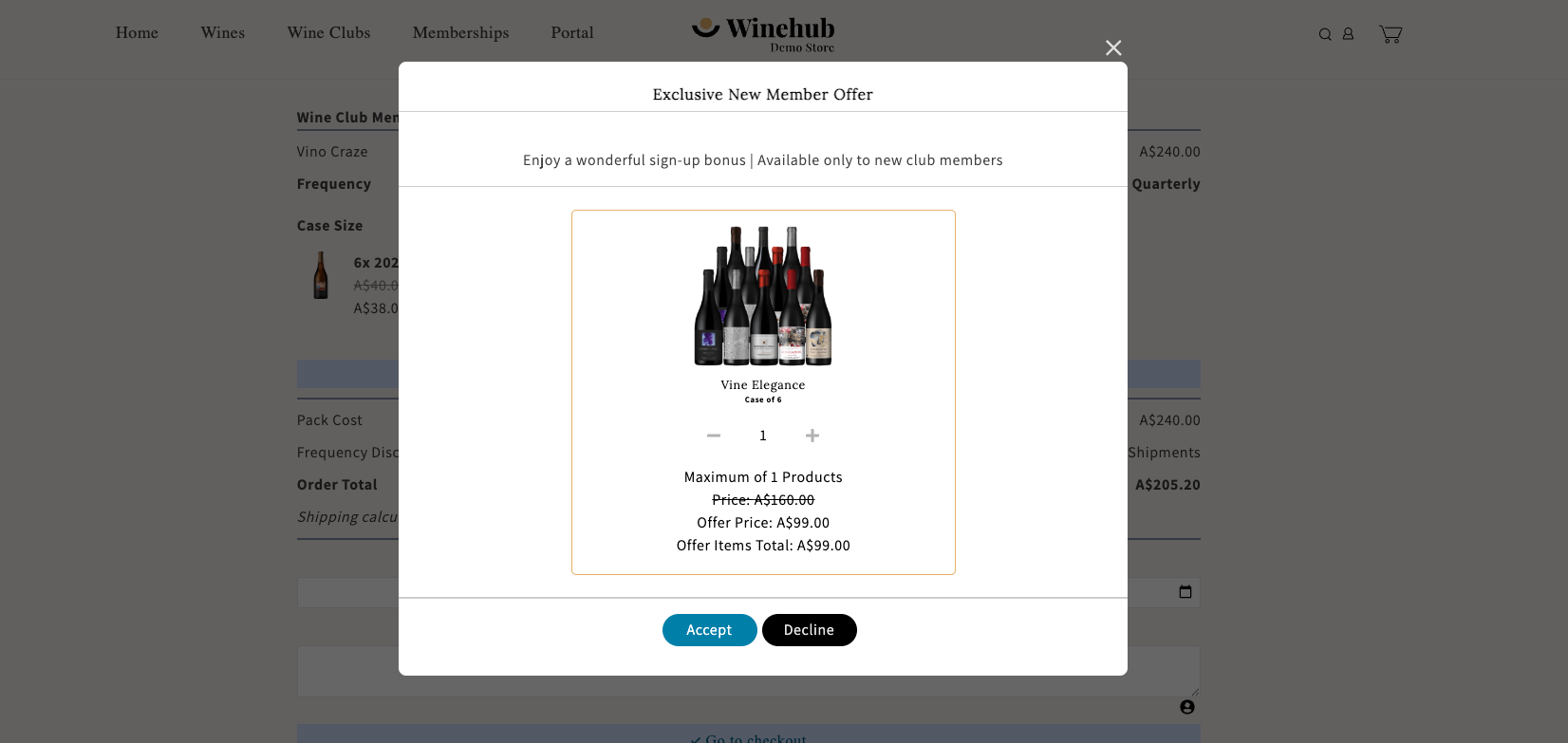
Setting Up a Product Offer
VIDEO GUIDE: Adding a Signup Product Offer
- To create a Product Offer:
- Navigate to the Wine Club Setup Page
- Scroll down to the Sign-Up Product Offer section.
- Select a Product Variant
- Choose the product you want to offer, such as a case of wine. Individual bottles can be selected, but cases are more commonly used for upselling.
- Set the Discounted Price
- Specify the price at which the selected product will be offered to club sign-ups.
- Limit Quantities
- Define the maximum number of items a single customer can purchase as part of this offer.
Example: Limit the offer to one case per customer. - Define the Offer Time Frame
- Set a start date to determine when the offer becomes available.
- Optionally, add an end date to stop displaying the offer after a specific time.
Customising the Offer Popup
When activated, the Sign Up Product Offer inserts a popup into the customer online sign-up flow. The popup displayed to customers can be fully customised to align with your branding and messaging. Customisable elements include:
- Heading and Message
- Default message: “For signing up to this club, you have the option to claim this product at a discounted price!”
- Customise the text to reflect your unique brand voice and promote the value of the offer.
- Buttons
- Customise the button text and colours to ensure they are visually appealing and align with your brand.
Example Scenarios for Product Offers
Case of Wine Offer
- Product Variant: A premium mixed case of wine (12 bottles)
- Discounted Price: $250 (regular price $300)
- Maximum Quantity: 1 case per customer
- Message: “Sign up today and get this exclusive mixed case at $250 - it's our way of saying thank you to our new members!”
Limited-Time Holiday Offer
- Product Variant: A festive wine trio gift set
- Discounted Price: £80 (regular price £100)
- Maximum Quantity: 2 sets per customer
- Offer Period: 1 November to 31 December
- Message: “Join the club this holiday season and enjoy this festive wine set at a special price!”
Benefits of Using Product Offers
- Boost Initial Revenue: Encourage customers to make a larger initial purchase when they join your club
- Increase Perceived Value: Reward customers for joining by offering exclusive deals not available elsewhere
- Seasonal Promotions: Use offers to tie in with specific holidays, events, or marketing campaigns
Best Practices for Product Offers
- Make the Offer Attractive: Ensure the discount is compelling enough to encourage customers to take action
- Time the Offer Strategically: Use start and end dates to create urgency and tie offers to specific events or seasons
- Highlight Exclusivity: Emphasise that the deal is only available to new club members
- Test and Adjust: Experiment with different products, price points, and messaging to find what resonates best with your audience
By setting up and customising Product Offers in Winehub, you can maximise the value of every new club sign-up, enhance customer satisfaction, and grow your club’s revenue right from the start.
Related Articles
Headless API Club Sign Up
1. Overview Winehub provides a set of headless API endpoints that allow you to integrate Wine Club sign-up functionality, product-specific offers, and club data directly into your custom Shopify storefront (or any frontend framework). These endpoints ...Admin Club Sign-ups
This method for club signups is only possible if you use the third-party Stripe integration or if the customer's card is already vaulted in Shopify. Creating Club Subscriptions Without an Initial Transaction Default Shopify behaviour means that new ...Welcome Packs & Free Sign-ups
Adding a Sign Up Product This feature is only available for Fixed-Case Wine Clubs using 'fixed date' rebilling only When creating a new membership subscription for a 'fixed date' Wine Club, you must transact at the time of sign-up in order to vault a ...Product Loading
Winehub seamlessly integrates with Shopify, syncing product databases across both platforms. While you can create or edit products in either Winehub or Shopify, we strongly recommend using Winehub for all alcohol-related products. This is so that any ...Product Details Popup
The Product Details Popup allows customers to view more product information during the club sign-up flow. This can include details like tasting notes, vintage, region, varieties, alcohol percentage and other product information that helps customers ...