Customer Profile
The Customer Profile in Winehub provides a comprehensive, tabbed view of each customer, including contact details, subscription activity, loyalty status, order history, benefits, payment methods, notes, and automated communications. Some information (such as contact details) is synced directly from Shopify, while other data is unique to Winehub. The profile is divided into two main sections: Customer Details & Timeline (top panel) and the Tabbed Activity Section (bottom panel).
Customer Details
This section displays the customer’s core information synced from Shopify, along with editable Winehub-specific fields.
Synced from Shopify
- Name
- Email
- Phone
- Default Address
- Shopify ID
- Account Created Date
To update name, email, phone, or default address details, changes must be made directly in Shopify. Note that the “Default Address” shown here may differ from the shipping address associated with a specific subscription shipment. Read more about updating subscription addresses.
Editable Fields in Winehub
- Date of Birth
- Delivery Instructions (e.g., “Leave at front porch”)
Additional Customer Data
- Shopify Tags (including club and subscription identifiers)
- Email Opt-out toggle (Opt-out of ALL Winehub email communications)
- Subscription last customised date
- Subscription last customised by
Timeline
Click Show Timeline in the top right of the customer profile to view a chronological list of customer actions
Tabbed Activity Section
Subscriptions
The Subscriptions tab lists all of the customer’s subscription and wine club contracts. From this section, you can use the Action menu to view and edit subscription details.
Current Shipment
The Current Shipment tab displays the customer’s next pending shipment (if applicable). You can use the Shipment Actions button to Skip, Rebill or Delay the shipment.
Upcoming Shipments
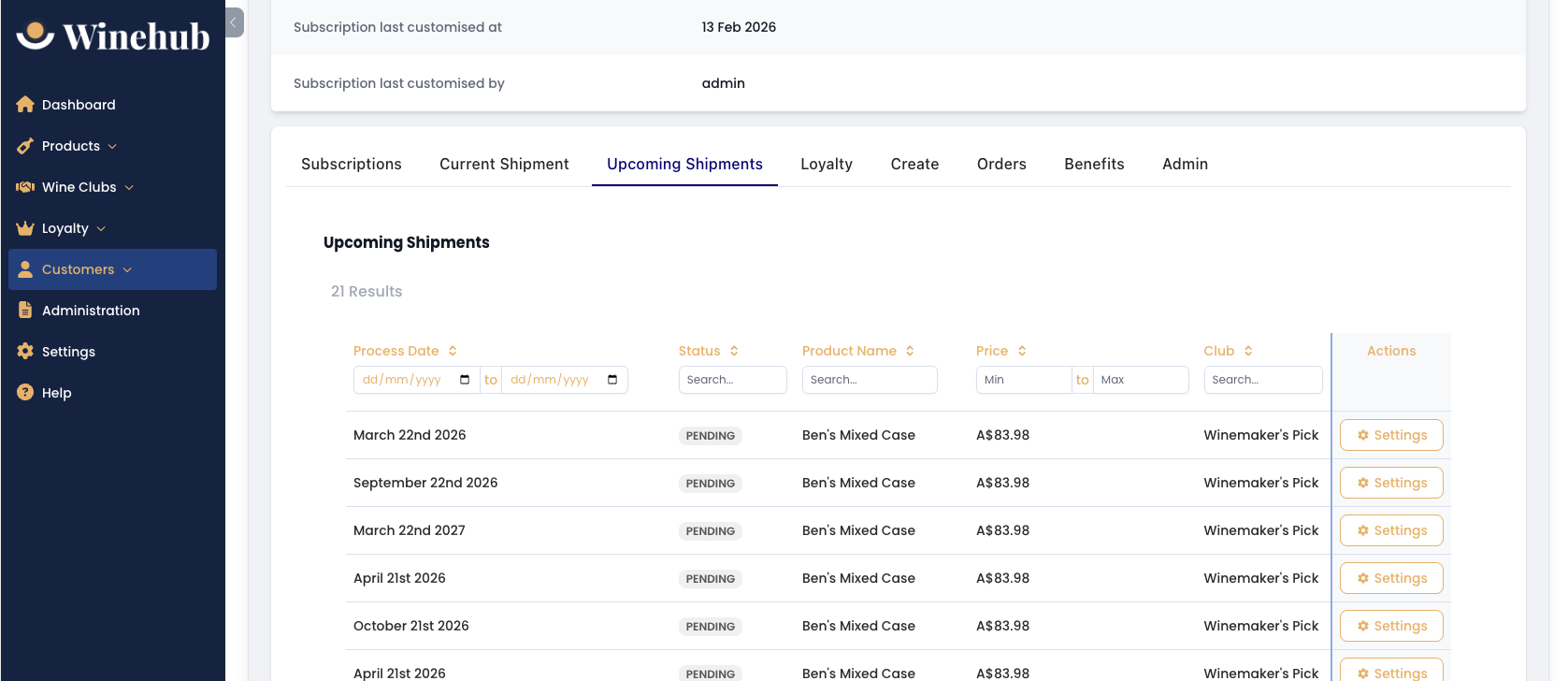
The Upcoming Shipments tab provides a forward-looking schedule of the customer’s future shipments across all clubs. This allows administrators to review future billing dates and launch a Winback Flow for any skipped shipments.
Loyalty
The Loyalty tab combines Loyalty Tier, Preference Analytics, and Just For You features into a single view.
Loyalty Tier
If loyalty tiers are enabled, this section displays the customer’s Current Tier, Expiry, Tier Length, Current Spend, Required Spend, and an Upgrade Progress Bar with the Next Tier preview. You can manually change a customer’s tier or opt them out of the loyalty system. If applicable, the system displays how much more they need to spend to reach the next tier.
Favourite Products
Displays up to three favourite products based on customer purchasing behaviour (if data is available).
Preference Analytics
This section works similarly to the Dashboard analytics but is specific to the individual customer. You can analyse Product Preferences and Regional Preferences over selected time periods or custom date ranges. This helps identify preferred varietals, regional buying trends, and customer engagement patterns.
Just For You (Exclusive Products)
This feature allows you to add exclusive products directly to the customer’s portal. You can set exclusive pricing, define quantity limits, and set expiry dates. These products appear under “Exclusive Products” in the Customer Portal, effectively creating a personalised mini-allocation for the customer.
Create
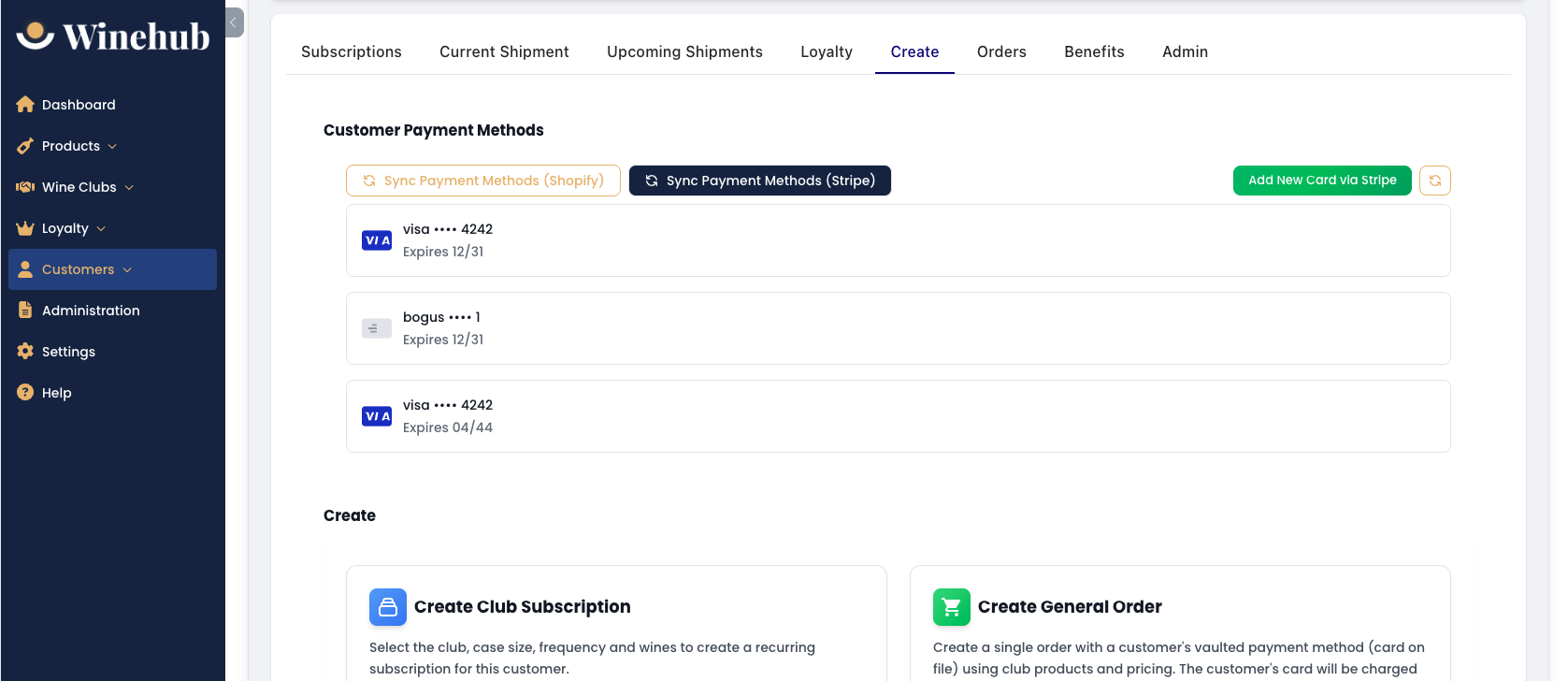
The Create tab allows you to manage payment methods and manually create subscriptions or orders charged to a saved card.
Customer Payment Methods
Displays saved payment methods stored via Shopify or Stripe (if integrated). You can sync payment methods from Shopify, sync payment methods from Stripe, or add a new card via Stripe. This allows you to create a club signup without an initial transaction.
Create Club Subscription
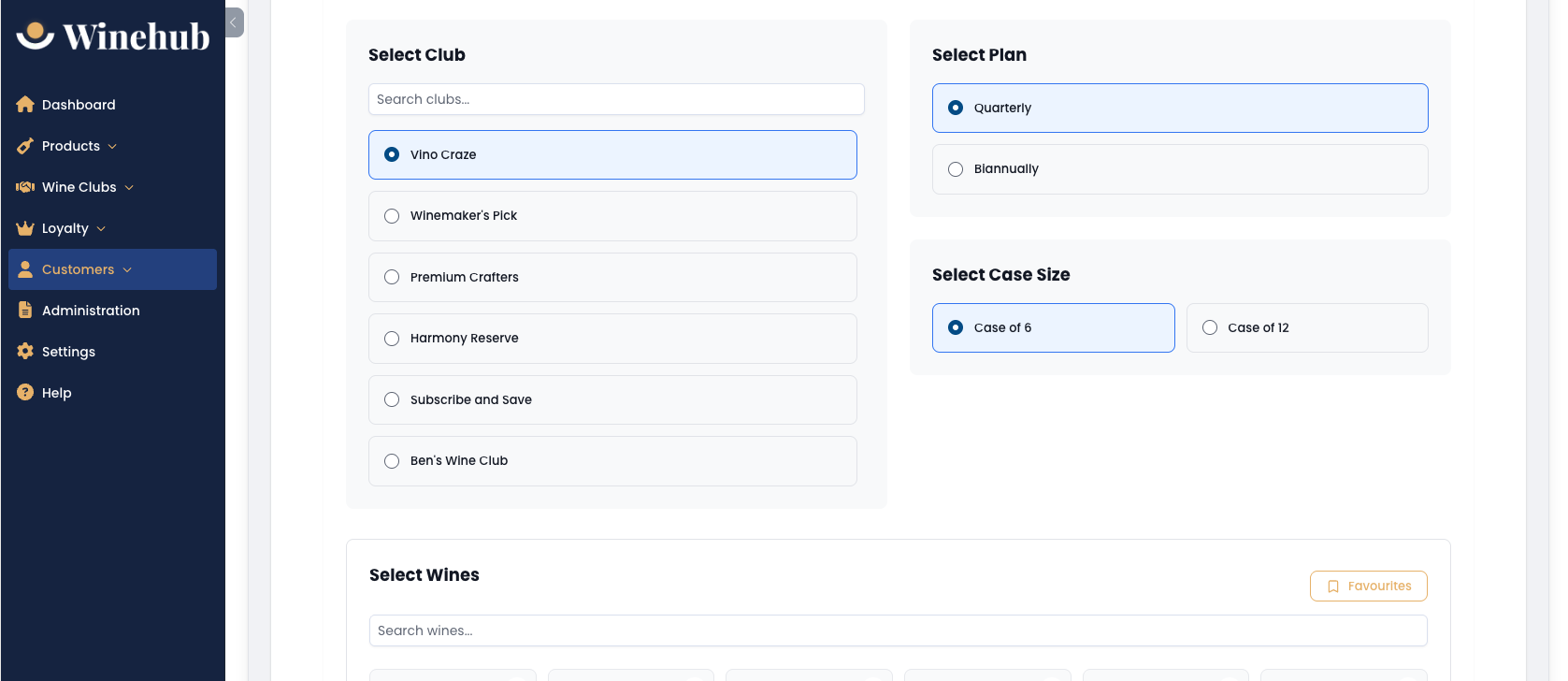
Allows you to manually create a new wine club subscription for the customer. A valid saved payment method must exist before creating a new subscription. You will select the Club, Case Size, Frequency, and Products (where applicable).
Create General Order
Allows you to create a one-off order using the customer’s saved payment method. The card will be charged immediately.
Orders
The Orders tab displays a summary of the customer’s historical orders. You can view full order details in Shopify using the View Order button.
Benefits
The Benefits tab summarises all discounts and benefits the customer is currently eligible for. If manual discount codes are configured, the relevant code will appear here. This provides a consolidated view of club perks, tier benefits, shipping rules, and percentage discounts.
Admin
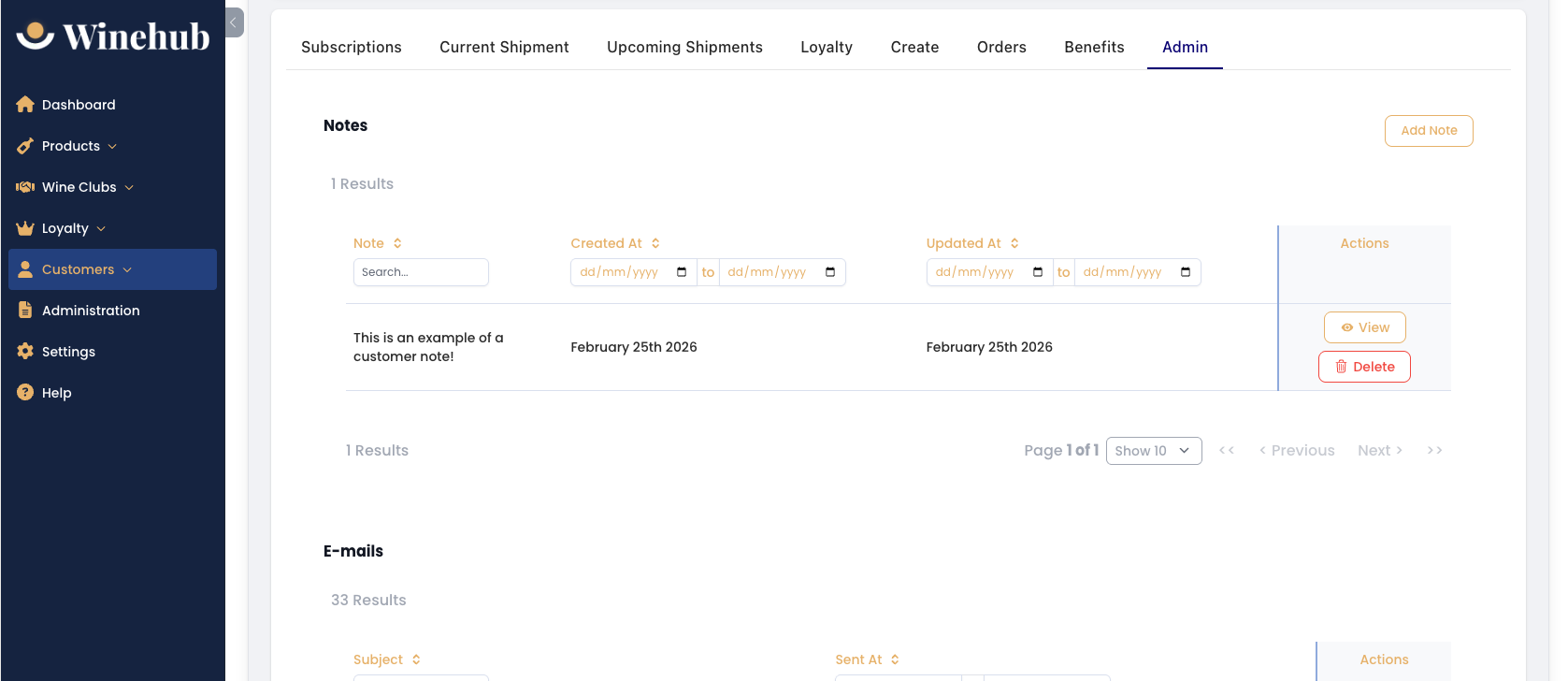
The Admin tab includes internal administrative tools and communication history.
Notes
Allows administrators to add internal notes about the customer, including preferences or special handling instructions. These notes are not visible to the customer.
Emails
Displays all automated Winehub emails sent to the customer, including Subscription notifications, Tier emails, Reminder emails, and Retention emails. You can view the email contents and resend it if necessary.
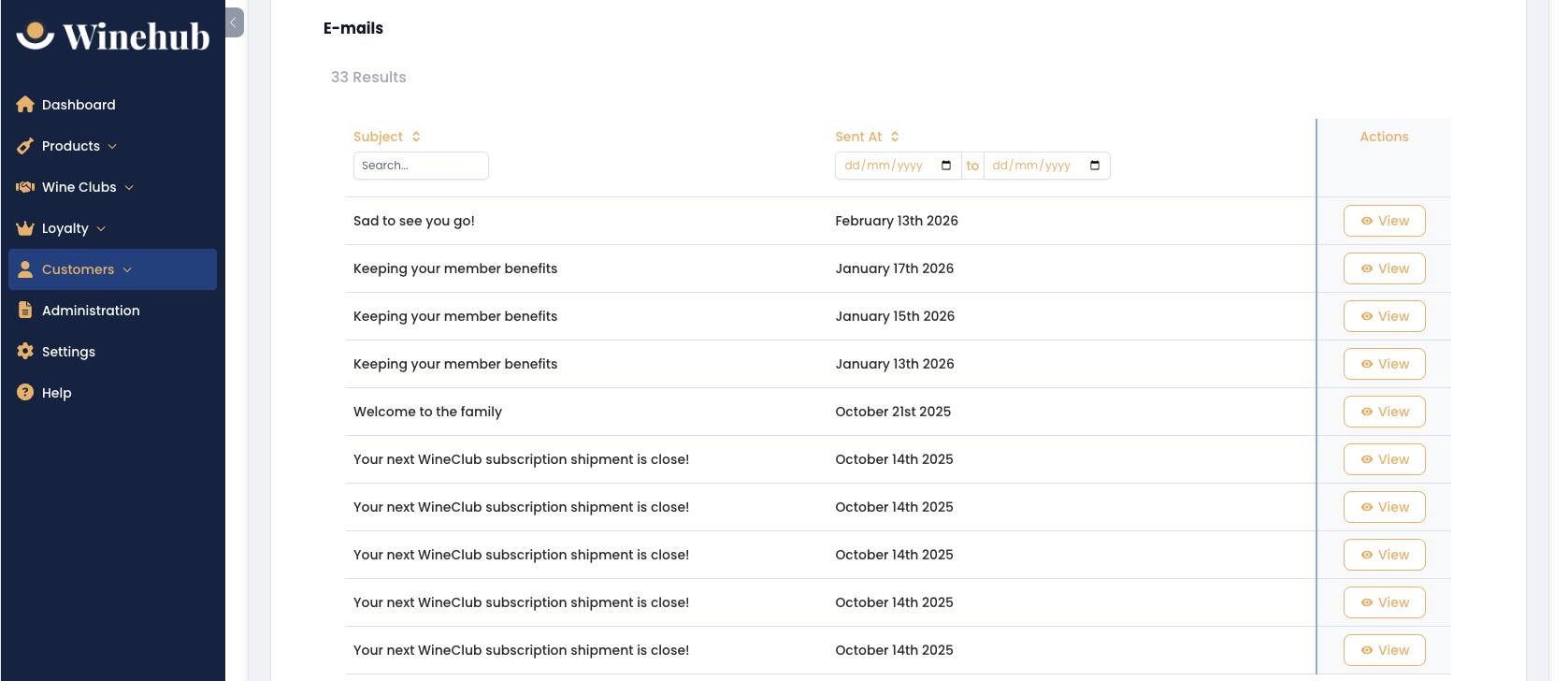
Displays all automated Winehub emails sent to the customer, including Subscription notifications, Tier emails, Reminder emails, and Retention emails. You can view the email contents and resend it if necessary.
Related Articles
Updating Customer Contact Details
Shopify serves as the master record for most customer details and these details are synced directly into Winehub. This means that most updates to customer contact details should be made within Shopify, with the exception of Subscription Addresses. ...Merging Customer Records
Overview Managing duplicate customer records is crucial for maintaining accurate sales and engagement data. Shopify allows for the merging of customer records, but with limitations that Winehub users should be aware of - especially when dealing with ...Customer Unable to Login
Issue Customers report that they are unable to log in, and the "Forgot Password" function does not work. Common Cause In most cases, the customer has not actually created a website account. Important Clarification: Having a wine club membership does ...Customer Portal
The customer portal app enhances the standard Shopify online account by adding features that allow customers to manage their club subscriptions, loyalty tiers, allocations, and exclusive products. To enable the customer portal app, you must configure ...Customer Segments
Customer segments in Winehub let you group your customers based on behaviour, preferences, and purchase history - enabling you to deliver highly targeted marketing that resonates. Whether you're promoting a Merlot special or launching an exclusive ...